Open Source
Built in public
Personal open-source projects and developer tools. MIT licensed, and designed to be forked and adapted.
Developer Tool · Next.js
Git Browse
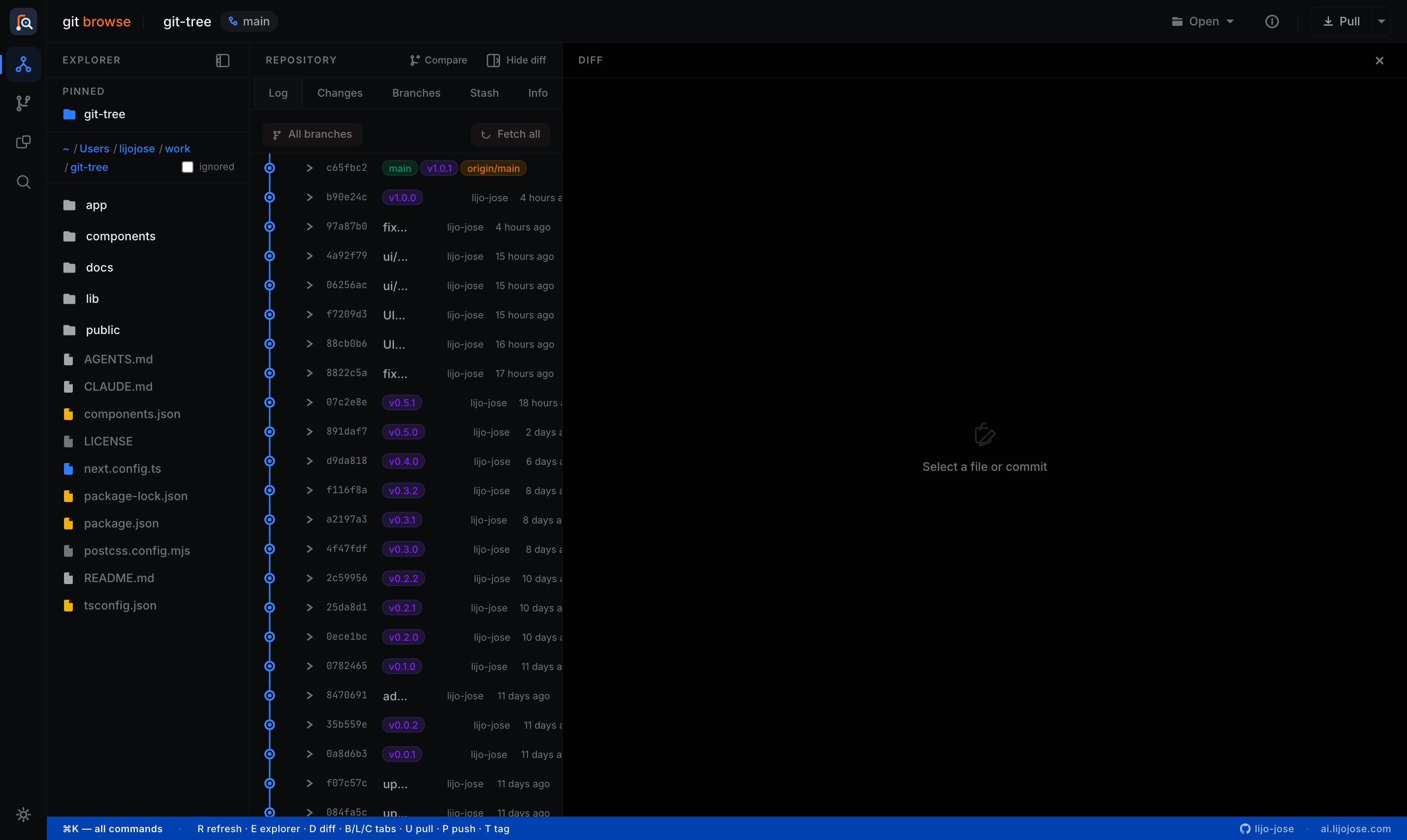
A local Git repository browser that runs entirely on your machine — no accounts, no cloud, no sending code anywhere. Point it at any folder on disk and it gives you a fast, keyboard-friendly UI over the repos you already have.
Next.js
React
Tailwind CSS
simple-git
TypeScript
MIT
License
⌘K
Command Palette
Local
Runtime
01
Inside Git Browse
A complete daily driver
Three panels — explorer, repository, diff — all collapsible, with a command palette tying every action together.
Daily git, without the terminal
Commit history as a visual graph with expandable file lists
Stage, commit, and push from the Changes tab
Branches with divergence badges (↑N ↓N against HEAD)
Interactive rebase — reorder, squash, reword, drop with buttons
Stash push, apply, pop, drop; tags created and pushed in one step
Live ahead/behind counts on a Sync button — one click pulls
Compare anything
Git Compare — branches, tags, commits, or raw SHAs with full changesets
Folder Compare — two directory trees classified as modified / left / right / identical
File and clipboard diffs — paste two text blobs, get a side-by-side diff
Repo-wide search — grep file contents or find files by glob, server-side
One shared diff renderer everywhere — unified or split, word wrap on demand
Designed for the keyboard
⌘K command palette — every action, navigation, and theme, searchable
Single-key shortcuts: U pull, P push, T tag, L/C/B tabs, E/D panels
VS Code-style activity rail keeps repo context across every page
Four themes — light plus three dark variants, CSS-variable driven
Destructive actions always confirm and show the literal git command
The connective tissue
Press ⌘K anywhere
One searchable list of everything — navigation, git actions, tab switching, themes, recent repos — with keyboard hints inline. Every command shows its shortcut, so the palette teaches the fast path while being the fallback path. It doubles as the app’s living documentation.
